With prediction market trading reaching $44 billion in 2025, effective notification management has become crucial for traders who need timely alerts without information overload.
- Customize alerts by market type and trading volume to avoid notification fatigue
- Set up tiered notification priorities: critical alerts (price thresholds), important alerts (market news), and informational alerts (daily summaries)
- Test your notification settings during different market conditions to find the optimal balance
Types of Push Notifications Available in Prediction Market Apps
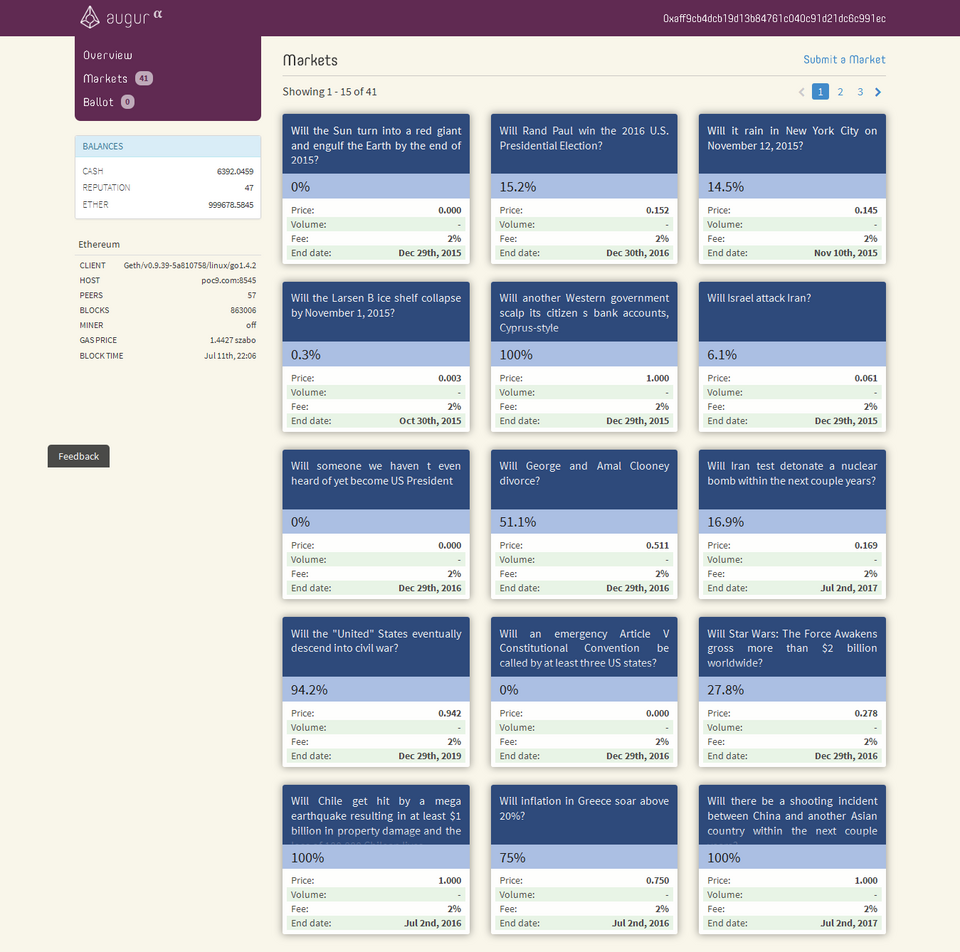
Prediction market apps offer various notification types designed to keep traders informed about market movements, position changes, and account activities. Understanding these categories helps traders configure their alert preferences effectively, whether they’re trading sports betting contracts or political event outcomes.
Market Movement Alerts: Price Threshold and Volume Spike Notifications
- Price threshold notifications when contract values reach specified levels, allowing traders to react to significant price movements instantly
- Percentage change alerts for significant market movements, typically configured for 5%, 10%, or 20% changes in contract value
- Volume spike notifications indicating increased trading activity, which often precede major price movements and provide early trading signals
Position Management Alerts: Profit/Loss and Settlement Notifications
- Profit/loss notifications when positions reach target levels, helping traders lock in gains or cut losses at predetermined points
- Margin call warnings for leveraged positions, protecting traders from unexpected losses when market conditions move against their positions
- Settlement notifications when markets resolve, providing immediate confirmation of trade outcomes and account balance updates
Event-Based and Account Activity Notifications
- Market opening/closing time alerts for time-sensitive trading opportunities, especially important for markets with limited trading windows
- Resolution announcements for resolved events, ensuring traders know when their positions have settled and profits/losses are finalized
- Deadline reminders for placing or modifying positions before market closures or event resolutions
- Deposit/withdrawal confirmations providing immediate feedback on account funding activities
- Account balance updates showing real-time changes in available trading capital
- Security alerts for login attempts or suspicious activity, protecting accounts from unauthorized access
Platform-Specific Notification Settings and Customization

Different mobile operating systems offer unique notification management features that prediction market apps can leverage to provide optimal user experiences.
iOS Implementation: Apple Notification System Integration
iOS prediction market apps integrate with Apple’s sophisticated notification system, offering several customization options. Users can choose between banner and alert styles, with banners appearing briefly at the top of the screen while alerts require interaction before disappearing. Sound customization allows traders to assign different notification tones to various alert types, making it easy to distinguish between critical price alerts and routine account updates. Badge app icon settings let users display unread notification counts directly on the app icon, providing at-a-glance awareness of pending alerts. Time-sensitive notification controls enable urgent alerts to bypass Do Not Disturb settings during specified quiet hours, ensuring critical trading opportunities aren’t missed.
Android Implementation: Notification Channel Customization
Android prediction market apps utilize notification channels, a powerful feature that allows granular control over different types of alerts. Users can create separate channels for market movements, position updates, and account notifications, each with independent sound, vibration, and display settings. Do Not Disturb scheduling provides flexible quiet hours, allowing traders to silence notifications during non-trading times while still receiving critical alerts. Priority level settings enable users to mark certain notifications as high priority, ensuring they appear prominently even when the device is locked. Vibration pattern customization lets traders create unique vibration sequences for different alert types, providing tactile feedback without requiring visual attention to the device.
Cross-Platform Notification Management Features
Both iOS and Android platforms support advanced notification customization features that enhance prediction market alert management. Time-based controls include quiet hours scheduling, allowing traders to define specific time periods when notifications are muted or delivered with reduced frequency. Market hours versus 24/7 notification preferences let users choose between receiving alerts only during active trading periods or continuous monitoring of global markets. Content filtering capabilities include keyword-based notification filtering, enabling traders to receive alerts only for specific market topics or contract types. Category-specific alert preferences allow users to prioritize certain market segments while filtering out less relevant notifications. Delivery method preferences offer flexibility between push notifications, in-app alerts, email alternatives, and SMS options for critical alerts that require immediate attention.
Best Practices for Managing Prediction Market Alerts
Effective notification management requires strategic planning and regular optimization to ensure traders receive the right information at the right time without becoming overwhelmed. Understanding security features in prediction market apps can help you make informed decisions about which notification settings to enable.
Setting Up Effective Alert Strategies
- Start with conservative notification settings by enabling only the most critical alerts initially, then gradually add more as you become comfortable with the notification volume
- Create tiered alert priorities by categorizing notifications into critical (price thresholds), important (market news), and informational (daily summaries) levels
- Use quiet hours during non-trading times to prevent notification fatigue while ensuring critical alerts can still break through when necessary
- Test notifications during different market conditions by running a 7-day trial period where you monitor how various alert settings perform during both calm and volatile market periods
Avoiding Notification Fatigue and Alert Overload
The impact of too many notifications on trading decisions can be significant, as research shows that traders who receive excessive alerts often make poorer decisions due to cognitive overload. Strategies for filtering less important alerts include using summary notifications instead of individual alerts for routine updates, which reduces the total number of interruptions while still keeping traders informed. The psychology of notification management reveals that traders who receive fewer, more targeted notifications actually make better trading decisions than those who try to monitor every market movement. This counter-intuitive finding suggests that quality of information often matters more than quantity when it comes to effective trading.
Advanced Notification Customization Techniques
- Creating custom alert combinations by combining multiple trigger conditions, such as price thresholds combined with volume requirements, to filter out false signals
- Using automation for complex trading strategies by setting up notification chains that trigger additional alerts based on initial conditions being met
- Integrating with other trading tools by connecting prediction market notifications to portfolio management apps or trading journals for comprehensive analysis
- Setting up notification escalation rules that increase alert frequency or change delivery methods when market conditions become more volatile
The most counter-intuitive finding is that traders who receive fewer, more targeted notifications actually make better trading decisions than those who try to monitor every market movement. Start by setting up a 7-day notification test: configure only your top 3 most important alert types, track your trading performance, then gradually add back notifications based on what actually improved your results.
For more information about prediction market app features and trading strategies, explore our comprehensive guides on prediction markets app,.