
Prediction market apps have become essential tools for traders, with the industry reaching approximately $44 billion in 2025 volume. Major platforms like Kalshi, Polymarket, and Robinhood now offer dedicated iOS and Android applications, making it easier than ever to trade binary contracts on real-world events from your mobile device.
- Prediction market apps reached $44 billion in 2025 volume with major platforms including Kalshi, Polymarket, and Robinhood
- iOS and Android apps offer platform-specific features with age requirement of 18+ for regulated financial products
- 2026 marks significant regulatory developments with CFTC asserting exclusive jurisdiction over prediction markets
How to Download Prediction Market Apps on iOS and Android 2026
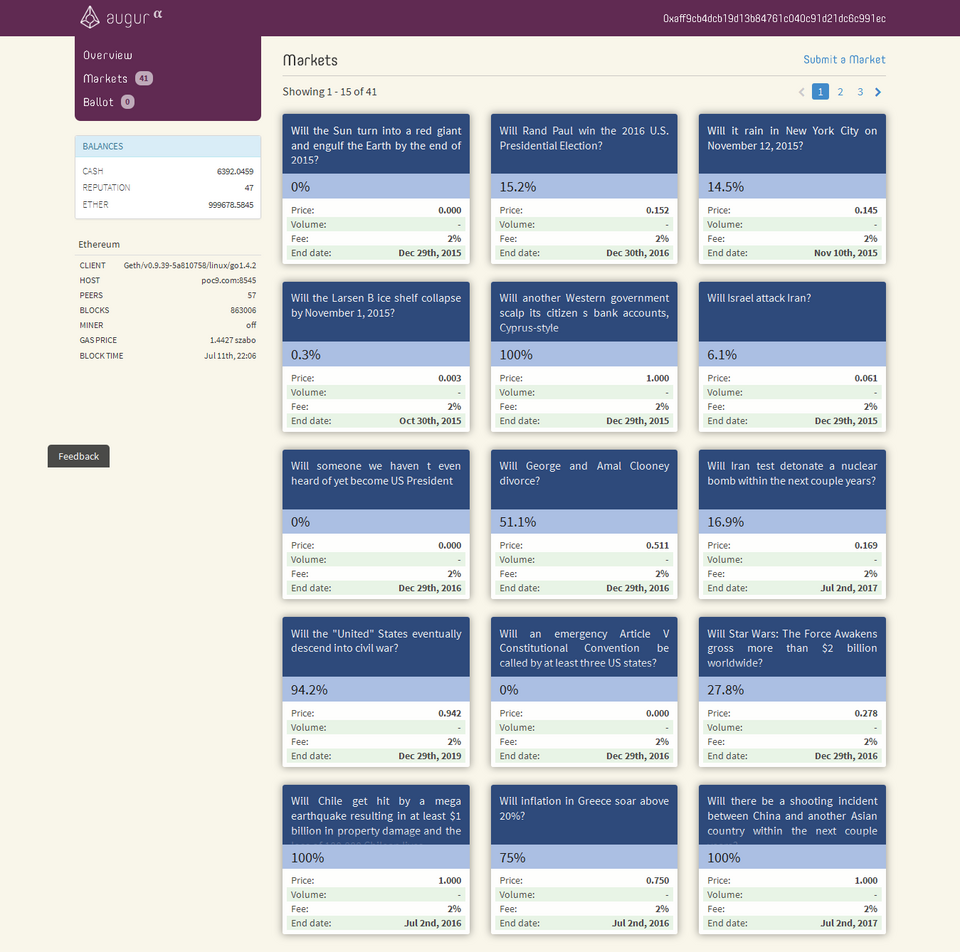
Step-by-step installation process for iOS devices
Apps available through official App Store with age verification (18+) as financial products. The iOS installation process requires Apple ID verification and device compatibility checks. Users must be 18 years or older to download and use prediction market apps, as these platforms are regulated as financial products rather than gambling applications.
iOS installation requires Apple ID verification and device compatibility check. To download prediction market apps on iOS:
- Open the App Store on your iPhone or iPad
- Search for the specific platform name (Kalshi, Polymarket, Robinhood Predictions)
- Tap “Get” and authenticate with Face ID, Touch ID, or Apple ID password
- Accept age verification requirements and terms of service
- Wait for the app to download and install automatically
Some platforms may have regional restrictions based on CFTC regulations. While most major prediction market apps are available in the US App Store, certain platforms may have geographic limitations due to regulatory requirements. Users should check platform availability in their specific region before attempting installation — prediction markets app.
Android download process and Google Play requirements
Android apps available through Google Play Store with similar age verification requirements. The Android installation process mirrors iOS requirements, with age verification (18+) and device compatibility checks. Google Play Store hosts most major prediction market applications, though some platforms may offer alternative download methods.
Some platforms may offer direct APK downloads for regions with limited Play Store access. For users in regions where prediction market apps are not available through Google Play, many platforms provide direct APK downloads from their official websites. This alternative installation method requires users to enable “Install from unknown sources” in their device settings.
Android installation includes device compatibility checks and security permissions. To install prediction market apps on Android:
- Open Google Play Store and search for the desired platform
- Tap “Install” and review required permissions
- Accept age verification and terms of service
- Grant necessary permissions for notifications, storage, and network access
- Wait for automatic installation to complete
Platform-Specific Features for Mobile Prediction Trading

Kalshi iOS vs Android app features comparison
Kalshi founded in 2018, became first federally licensed prediction market in the US. The platform’s mobile apps offer real-time contract pricing and binary trading interface across both iOS and Android devices. Kalshi’s mobile applications provide seamless access to federally regulated event contracts, making it a trusted choice for US-based traders.
Mobile apps offer real-time contract pricing and binary trading interface. Both iOS and Android versions of the Kalshi app feature:
- Live price updates for all available contracts
- One-tap trading for quick position entry
- Portfolio tracking and performance analytics
- Push notifications for market movements and contract expirations
- Secure login with biometric authentication options
Platform-specific notifications and trading alerts available on both systems. While core functionality remains consistent, iOS and Android versions may have slight differences in notification delivery and system integration. iOS users benefit from Apple’s notification system, while Android users can customize alert settings more granularly through the app’s notification channels.
Polymarket mobile app capabilities and crypto integration
Polymarket uses USDC on Polygon network for crypto-based trading. The platform’s mobile app supports wallet integration and transaction history tracking, allowing users to trade prediction contracts using cryptocurrency. This crypto-native approach provides unique advantages for users familiar with blockchain technology.
Mobile app supports wallet integration and transaction history tracking. Polymarket’s mobile features include:
- Direct wallet connection for USDC transactions
- Real-time balance updates and transaction history
- Polygon network fee tracking and optimization
- Cross-chain bridge functionality for asset transfers
- Secure key management with hardware wallet support
Cross-platform synchronization for portfolio management. The Polymarket mobile app seamlessly synchronizes with desktop platforms, ensuring users can manage their portfolios across devices. This synchronization includes open positions, transaction history, and watchlist preferences, providing a unified trading experience regardless of the access point.
Compatibility Requirements and Device Support 2026
Minimum iOS version and device requirements
Apps require iOS 13.0 or later for most prediction market platforms. The latest prediction market apps are optimized for modern iOS devices, with backward compatibility extending to iPhone 6s and later models. This ensures broad accessibility while maintaining performance standards for real-time trading.
Compatible with iPhone 6s and later models, iPad Air 2 and later. Device compatibility includes:
- iPhone 6s, 6s Plus and all subsequent iPhone models
- iPad Air 2, iPad mini 4, and all later iPad models
- iPod touch (7th generation) and newer
- iPad Pro models from 2015 onwards
Some advanced features may require newer devices with better processing power. Real-time data visualization, advanced charting, and high-frequency trading features may perform optimally only on newer devices with enhanced processing capabilities. Users with older devices may experience limitations with complex analytical tools or multiple simultaneous data streams.
Android OS requirements and device compatibility
Android apps require OS 8.0 (Oreo) or later for most platforms. The minimum Android version requirement ensures compatibility with modern security protocols and performance optimizations. Most prediction market apps target Android 9.0 (Pie) or later for optimal functionality.
Compatible with devices running 2GB RAM minimum for smooth trading experience. Device requirements include:
- Android 8.0 (Oreo) or later operating system
- Minimum 2GB RAM for basic trading functionality
- 4GB+ RAM recommended for advanced features and multiple data streams
- ARM64 processor architecture support
- OpenGL ES 3.0+ for graphics rendering
Some platforms may have specific chipset requirements for real-time data processing. Certain prediction market apps may optimize performance for specific chipset architectures, particularly for features involving complex calculations or real-time data visualization. Qualcomm Snapdragon, Samsung Exynos, and MediaTek Helio processors are commonly supported across major platforms.
The most surprising finding is that despite being regulated as financial products, prediction market apps have achieved mainstream adoption with $44 billion in 2025 volume. This regulatory classification actually provides users with greater protections and legitimacy compared to traditional gambling apps. For immediate action, download the Kalshi app from your device’s app store to experience the first federally regulated prediction market platform, ensuring you meet the 18+ age requirement and have a compatible device running iOS 13.0+ or Android 8.0+.