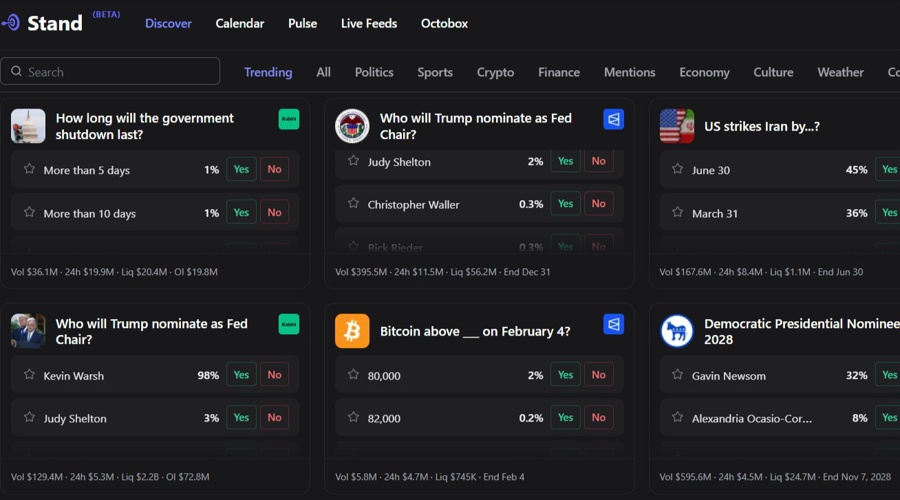
Kalshi implements a unique 30-day login cycle with dual-channel two-factor authentication for enhanced account security.
Understanding Kalshi’s 30-Day Login 2FA Cycle
Kalshi requires 2FA verification once every 30 days, with codes sent to both your registered phone and email for added security.
Kalshi’s security architecture stands apart from traditional exchanges through its innovative 30-day authentication cycle. Unlike platforms requiring daily 2FA prompts, Kalshi’s approach balances security with user convenience. When you log in, the system generates a unique verification code that’s dispatched simultaneously to your registered mobile phone via SMS and to your email address. This dual-channel approach creates redundancy – if one channel fails, the other remains available. For users interested in broader market mechanisms, Kalshi operates within the prediction market ecosystem.
The 30-day window means you’ll only need to complete this verification process approximately once per month, unless you log out and back in more frequently. This design choice reflects Kalshi’s understanding that excessive authentication requests can lead to user fatigue and potentially weaker security practices. The system tracks your last successful 2FA completion and automatically prompts for verification when the 30-day threshold is reached.
For users with landline phones or outdated mobile numbers, Kalshi’s email verification serves as a critical fallback. The platform recognizes that phone numbers can become invalid over time, so maintaining an active email address ensures continuous account access. Users should regularly verify both contact methods remain current in their account settings to avoid lockout scenarios.
Two-Factor Authentication Methods and Fallback Options
Kalshi delivers 2FA codes via SMS to your phone and email, with email verification as fallback if your phone number is outdated or landline-based.
Kalshi’s two-factor authentication system employs a sophisticated multi-channel delivery approach that exceeds industry standards. The primary authentication method sends SMS codes to your registered mobile phone number. These codes are typically 6-digit numeric sequences that expire within 5-10 minutes of generation, ensuring time-sensitive security.
The secondary channel utilizes email delivery for the same verification codes. This redundancy proves invaluable when primary SMS delivery fails due to network issues, carrier restrictions, or when users travel internationally. The email delivery system is optimized to bypass spam filters, though users should periodically check their spam folders to ensure legitimate Kalshi communications aren’t being misdirected.
For users with landline phones or those who’ve changed their mobile number without updating their Kalshi account, the email verification becomes the primary access method. Kalshi’s system automatically detects landline numbers during the verification process and adjusts accordingly. This intelligent routing prevents users from being permanently locked out of their accounts due to outdated contact information.
Advanced users might consider enabling authenticator apps like Authy or Google Authenticator for additional security layers. While Kalshi doesn’t currently support these apps natively, the platform’s responsive development team has indicated consideration for expanding authentication options based on user feedback and security best practices ($POLY token airdrop criteria).
Transaction-Level Security: Card Deposits and Withdrawals
All card deposits and withdrawals require additional 2FA verification through SMS or phone call from your card issuer.
Kalshi implements a sophisticated multi-layered security approach that extends beyond login authentication to encompass all financial transactions. When users initiate card deposits or withdrawals, the platform triggers an additional security protocol that operates independently of the standard 30-day login cycle.
For card deposits, Kalshi requires real-time verification through your card issuer’s fraud prevention systems. This typically manifests as an SMS code sent directly from your bank or a phone call to your registered number. The platform acts as a conduit, passing through these issuer-generated verification requests without storing sensitive card information on their servers. This architecture minimizes Kalshi’s exposure to potential data breaches while leveraging your bank’s existing security infrastructure.
Withdrawal transactions receive even stricter scrutiny. Kalshi’s system analyzes withdrawal patterns, amounts, and frequency to identify potential fraud. Unusual withdrawal requests trigger enhanced verification protocols, which may include video verification calls or additional documentation requirements. The platform’s compliance team reviews high-value withdrawals manually, ensuring that large transfers undergo human oversight in addition to automated security checks.
Users should be aware that international card transactions may face additional verification steps due to cross-border fraud prevention measures. Banks often implement their own security protocols for international transactions, which can result in multiple verification prompts when depositing funds from overseas accounts. Kalshi’s support team can assist with navigating these multi-layered verification processes when users encounter difficulties.
Password Security Best Practices for Your Kalshi Account
Use minimum 16-character passwords with mixed case, numbers, and symbols, stored in encrypted password managers rather than browser autofill.
Modern password security has evolved significantly from the outdated practice of regular password changes. Kalshi’s security guidelines align with current best practices that emphasize password strength over frequent rotation. The platform recommends minimum 16-character passwords that combine uppercase letters, lowercase letters, numbers, and special symbols.
The strength of a password correlates exponentially with its length rather than complexity alone. A 16-character password provides approximately 2^96 possible combinations, making brute-force attacks computationally infeasible even with modern hardware. Kalshi’s system enforces these minimum standards while rejecting common patterns, dictionary words, and previously compromised passwords checked against breach databases.
Password managers represent the gold standard for credential storage. Tools like 1Password, Bitwarden, and LastPass generate and store complex, unique passwords for each platform. These applications use military-grade encryption and zero-knowledge architectures, meaning even the service providers cannot access your stored credentials. Browser autofill features, while convenient, lack the security features and cross-platform synchronization capabilities of dedicated password managers.
Users should enable biometric authentication on their password manager applications for an additional security layer. Fingerprint or facial recognition provides quick access while maintaining strong protection against unauthorized access. The master password for your password manager should be particularly robust – consider using a passphrase composed of random words rather than a complex string of characters that’s difficult to remember.
Identity Verification Requirements and KYC Compliance
Kalshi requires SSN and government ID verification as part of CFTC regulatory compliance for all account holders.
As a CFTC-regulated exchange, Kalshi implements comprehensive Know Your Customer (KYC) procedures that exceed typical financial platform requirements. The platform’s regulatory framework mandates identity verification for all users, regardless of account size or trading volume. This approach ensures market integrity and prevents illicit activities while maintaining user privacy through encrypted data handling (Prediction market).
The verification process begins with Social Security Number (SSN) validation. Kalshi’s system cross-references provided SSNs against government databases to confirm authenticity and prevent synthetic identity fraud. This step is non-negotiable for U.S. residents and serves as the foundation for all subsequent verification procedures. The platform employs bank-level encryption to protect this sensitive information throughout the verification process.
Government-issued photo identification forms the second verification layer. Acceptable documents include driver’s licenses, passports, and state-issued identification cards. Kalshi’s automated verification system uses advanced optical character recognition and facial comparison algorithms to validate document authenticity. The system checks for security features, expiration dates, and matches the submitted photo against database records when available.
Address verification requires additional documentation such as utility bills, bank statements, or lease agreements dated within the past 90 days. This multi-document approach creates a comprehensive identity profile that satisfies regulatory requirements while minimizing the risk of identity theft. Users should ensure all submitted documents are clear, legible, and match the information provided during account registration.
Common Account Security Threats and How to Avoid Them
Only log in through official Kalshi website or app, check spam folders for verification codes, and never reuse passwords across platforms.
Phishing attacks represent the most significant security threat to Kalshi users. Cybercriminals create sophisticated fake login pages that mimic Kalshi’s interface, complete with accurate logos and styling. These fraudulent sites capture user credentials when unsuspecting traders attempt to log in. Users should always verify the URL begins with “https://www.kalshi.com” and look for the padlock icon indicating a secure connection before entering any credentials.
Verification code interception poses another common threat. Attackers may attempt to gain access to your email or phone to intercept 2FA codes. Users should enable additional security measures on their email accounts, such as two-factor authentication and app-specific passwords. For phone-based verification, consider using carrier PIN codes to prevent SIM swapping attacks where criminals port your number to a device they control.
Password reuse across multiple platforms creates cascading security vulnerabilities. When a user employs the same password on Kalshi as on other services, a breach at any one platform compromises all accounts using that credential. The 2023 security breach at a major password manager service exposed millions of reused passwords, leading to subsequent account takeovers across financial platforms. Kalshi’s security team actively monitors for credential stuffing attacks and temporarily locks accounts showing suspicious login patterns (how does polymarket work).
Public Wi-Fi networks present significant risks for account access. Unsecured networks allow attackers to intercept unencrypted data transmissions, potentially capturing login credentials and verification codes. Users should always access their Kalshi accounts through secure, private networks or utilize VPN services when connecting from public locations. The platform’s mobile app includes additional encryption layers for data transmitted over cellular networks (polymarket app).
Account Recovery and Security Settings Management
Update your phone number in account settings after verification, and maintain both phone and email as active recovery channels. For traders who need to manage their positions on the go, the kalshi mobile app download provides secure mobile access to your account (polymarket token release date).
Account recovery procedures at Kalshi balance security with accessibility through a tiered verification system. When users lose access to their primary authentication methods, the platform initiates a recovery process that escalates based on the level of access being requested. Minor changes, such as updating contact information, require basic verification, while full account recovery demands comprehensive identity validation.
Phone number updates represent a critical security function that requires careful handling. Users must first verify their existing phone number before adding new contact information. This prevents attackers from hijacking accounts by simply changing the registered phone number. The verification process involves receiving a code on the current number and entering it within the platform’s designated timeframe. Users should update their phone numbers promptly when changing carriers or devices to maintain continuous account access (polymarket smart contract trading).
Email management plays an equally important role in account security. Kalshi allows users to maintain multiple recovery email addresses, creating redundancy in case the primary email becomes inaccessible. Users should periodically review their registered email addresses and remove any that are no longer active or secure. The platform sends notification emails when changes are made to account security settings, providing an audit trail of modifications.
Security question management offers an additional recovery layer, though Kalshi emphasizes that these should complement rather than replace two-factor authentication. Users should choose questions with answers that aren’t easily discoverable through social media or public records. The platform recommends using password manager-generated answers for security questions to prevent social engineering attacks that exploit predictable responses.
Quick Security Checklist for Your Kalshi Account
Enable 2FA, use strong unique passwords, verify identity documents, and regularly review account activity for unauthorized access attempts.
✅ Enable two-factor authentication immediately after account creation and verify both phone and email channels are active
✅ Use a password manager to generate and store minimum 16-character unique passwords for Kalshi
✅ Complete KYC verification promptly by submitting valid SSN and government-issued photo ID
✅ Check spam folders regularly for legitimate Kalshi verification emails and mark them as safe
✅ Update contact information immediately when changing phone numbers or email addresses
✅ Review account activity weekly for unfamiliar login locations or unusual trading patterns
✅ Enable email notifications for all account changes and login attempts from new devices
✅ Use secure, private networks when accessing your Kalshi account, avoiding public Wi-Fi
✅ Keep your password manager master password particularly strong and enable biometric authentication
✅ Contact Kalshi support immediately if you notice any suspicious account activity or failed login attempts